


 Click it and Unblock the Notifications
Sensex
84,929.36
+0.53%
|
Nifty
25,966.40
+0.58%
|
22k Gold
₹ 12,300 /gm
|
Silver
₹ 2,09,000/kg
|
Petrol
₹ 103.54
|
Diesel
₹ 90.03
|
Crude Oil
$60.03
|
USD
₹
89.66
|
Sensex
84,929.36
+0.53%
|
Nifty
25,966.40
+0.58%
|
22k Gold
₹ 12,300 /gm
|
Silver
₹ 2,09,000/kg
|
Petrol
₹ 103.54
|
Diesel
₹ 90.03
|
Crude Oil
$60.03
|
USD
₹
89.66
|
Sensex
84,929.36
+0.53%
|
Nifty
25,966.40
+0.58%
|
22k Gold
₹ 12,300 /gm
|
Silver
₹ 2,09,000/kg
|
Petrol
₹ 103.54
|
Diesel
₹ 90.03
|
Crude Oil
$60.03
|
USD
₹
89.66
FASTag providers in India
- Airtel FASTag
- Au Bank FASTag
- Axis Bank FASTag
- BOB FASTag
- BOM FASTag
- Canara FASTag
- CBI Bank FASTag
- Cosmos FASTag
- CUB FASTag
- DNS Bank FASTag
- Equitas FASTag
- Federal FASTag
- FINO FASTag
- HDFC FASTag
- IDBI FASTag
- IDFC FASTag
- Indian Bank FASTag
- Indusind FASTag
- IOB FASTag
- J&K Bank FASTag
- Karnataka Bank FASTag
- Kotak FASTag
- KVB FASTag
- PAYTM FASTag
- SBI FASTag
Toll Plazas in India
- Toll Plazas in Andhra Pradesh
- Toll Plazas in Assam
- Toll Plazas in Bihar
- Toll Plazas in Chandigarh
- Toll Plazas in Chhattisgarh
- Toll Plazas in Delhi
- Toll Plazas in Goa
- Toll Plazas in Gujarat
- Toll Plazas in Haryana
- Toll Plazas in Himachal Pradesh
- Toll Plazas in Jammu and Kashmir
- Toll Plazas in Jharkhand
- Toll Plazas in Karnataka
- Toll Plazas in Kerala
- Toll Plazas in Madhya Pradesh
- Toll Plazas in Maharashtra
- Toll Plazas in Meghalaya
- Toll Plazas in Odisha
- Toll Plazas in Punjab
- Toll Plazas in Rajasthan
- Toll Plazas in Tamil Nadu
- Toll Plazas in Telangana
- Toll Plazas in Uttar Pradesh
- Toll Plazas in Uttarakhand
- Toll Plazas in West Bengal
-
 Get a Free Rs. 1,000 FASTag Recharge by Reporting Dirty Toilets on Highways: NHAI's New Scheme Explained
 -
 New Toll Plaza Rule from November 15: Higher Fees for Non-FASTag Vehicles; What Commuters Must Know
 -
 FASTag Annual Pass 2025: 5-Step Activation Process, Check Eligibility & Benefits; 1.4 Lac Users Joined So Far
 -
 FASTag Annual Pass From August 15: How To Buy Rs 3,000 PASS; Eligibility, Validity, Activation, Check 10 FAQs
 -
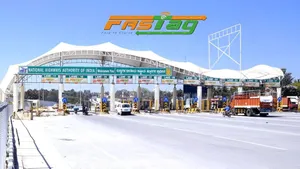 New FASTag Annual Pass Valid From August 15: Pay Rs 3,000 for Free Trips; Check Validity & How to Apply
 -
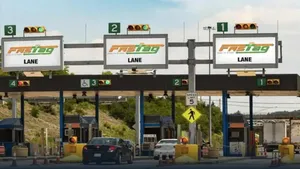 FASTag Annual Pass From August 15: Check New Prices, Activation, Key Changes & How To Apply?
 -
 FASTag Ecosystem Enhances Seamless Digital Travel Experience Across India, Says Nitin Gadkari
 -
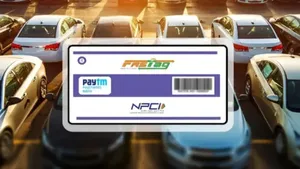 FASTag Annual Pass For Rs 3,000 Will Ease The Private Vehicle Problem; What About Commercial Vehicles?
 -
 Nitin Gadkari Launches Annual FASTag Pass via Rajmargyatra App: Know About New Fastag Policy
 -
 New FASTag Annual Pass For Rs 3,000 Launched! What Is It? How To Use? All You Need To Know
 -
 FASTag Alert: As Annual Toll Policy In Works; Here's How To Buy FASTag, And Stay Safe From Blacklist
 -
 New FASTag Policy Upcoming: Pay Rs 3,000 Once and Enjoy Unlimited Free Travel on Highways with Annual Pass
 -
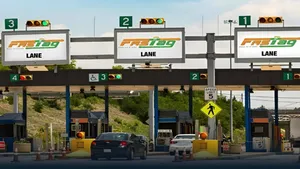 No More FASTag Recharges! Govt Plans Rs.30,000 Lifetime Highway Pass For Commuters
 -
 SBI Introduces New FASTag Design That Will Bring Down Travel Time On Highways
 -
 FASTag Alert: Don't Miss New FASTag Rules That Will Become Effective From August 1
 -
 Latest FASTag Update: NHAI Mandates Double Fee If FASTag Not Affixed On Front Windshield
 -
 Challan To Be Deducted Only Via FASTag, Smart Traffic System To Begin From July 1
Notifications
Settings
Clear Notifications
Notifications
Use the toggle to switch on notifications
-
Block for 8 hours
-
Block for 12 hours
-
Block for 24 hours
-
Don't block

Stay Informed.
Get news and videos anytime and anywhere.
 Sign in with Google
 By signing in, you agree to our Terms and Privacy Policy
Gender
Select your Gender
- Male
- Female
- Others
Age
Select your Age Range
- Under 18
- 18 to 25
- 26 to 35
- 36 to 45
- 45 to 55
- 55+