


 Click it and Unblock the Notifications

Indian Bank FASTag
What is Indian Bank FASTag?
The Indian Bank FASTag is a device that uses Radio Frequency Identification (RFID) technology to allow users to pay for tolls directly from their prepaid wallet account. It is attached to the windscreen of your vehicle and allows you to drive through toll booths without stopping for cash transactions. The tag can be purchased from our branches/website and is linked to the prepaid account; you must then recharge/top up the tag as needed.
How to get Indian Bank FASTag?
To use the online mode, go to the bank's website, fill out the online application form, and make the initial payment. Indian Bank Fastag will be delivered to the address you provide. Customers can also apply for FASTag at any Indian Bank branch near them. Our representative will give you an application form, which you must fill out and return to the branch.
What are the features of Indian Bank FASTag?
- Indian Bank FASTag users do not need to carry cash for toll transactions, and they do not need to worry about collecting exact change.
- The Indian Bank FASTag's auto-debit of the exact amount enables faster transit through toll plazas and saves time.
- Indian Bank FASTag can be recharged online using a credit card, debit card, net banking, or IMPS, among other methods.
- Receive instant SMS alerts for toll transactions, low balances, and other events on your registered mobile number. A customer can create a personnel Tag account by registering online and top up the FASTag account using online methods such as credit card, debit card, internet banking, and so on. Past transaction history, available balance, and so on are all visible in the account.
- Airtel FASTag
- Au Bank FASTag
- Axis Bank FASTag
- BOB FASTag
- BOM FASTag
- Canara FASTag
- CBI Bank FASTag
- Cosmos FASTag
- CUB FASTag
- DNS Bank FASTag
- Equitas FASTag
- Federal FASTag
- FINO FASTag
- HDFC FASTag
- IDBI FASTag
- IDFC FASTag
- Indian Bank FASTag
- Indusind FASTag
- IOB FASTag
- J&K Bank FASTag
- Karnataka Bank FASTag
- Kotak FASTag
- KVB FASTag
- PAYTM FASTag
- SBI FASTag
- Toll Plazas in Andhra Pradesh
- Toll Plazas in Assam
- Toll Plazas in Bihar
- Toll Plazas in Chandigarh
- Toll Plazas in Chhattisgarh
- Toll Plazas in Delhi
- Toll Plazas in Goa
- Toll Plazas in Gujarat
- Toll Plazas in Haryana
- Toll Plazas in Himachal Pradesh
- Toll Plazas in Jammu and Kashmir
- Toll Plazas in Jharkhand
- Toll Plazas in Karnataka
- Toll Plazas in Kerala
- Toll Plazas in Madhya Pradesh
- Toll Plazas in Maharashtra
- Toll Plazas in Meghalaya
- Toll Plazas in Odisha
- Toll Plazas in Punjab
- Toll Plazas in Rajasthan
- Toll Plazas in Tamil Nadu
- Toll Plazas in Telangana
- Toll Plazas in Uttar Pradesh
- Toll Plazas in Uttarakhand
- Toll Plazas in West Bengal
-
 Get a Free Rs. 1,000 FASTag Recharge by Reporting Dirty Toilets on Highways: NHAI's New Scheme Explained
 -
 New Toll Plaza Rule from November 15: Higher Fees for Non-FASTag Vehicles; What Commuters Must Know
 -
 FASTag Annual Pass 2025: 5-Step Activation Process, Check Eligibility & Benefits; 1.4 Lac Users Joined So Far
 -
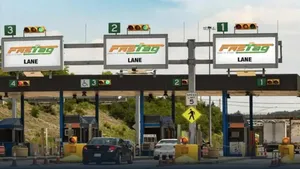 FASTag Annual Pass From August 15: How To Buy Rs 3,000 PASS; Eligibility, Validity, Activation, Check 10 FAQs
 -
 New FASTag Annual Pass Valid From August 15: Pay Rs 3,000 for Free Trips; Check Validity & How to Apply
 -
 FASTag Annual Pass From August 15: Check New Prices, Activation, Key Changes & How To Apply?
 -
 FASTag Ecosystem Enhances Seamless Digital Travel Experience Across India, Says Nitin Gadkari
 -
 FASTag Annual Pass For Rs 3,000 Will Ease The Private Vehicle Problem; What About Commercial Vehicles?
 -
 Nitin Gadkari Launches Annual FASTag Pass via Rajmargyatra App: Know About New Fastag Policy
 -
 New FASTag Annual Pass For Rs 3,000 Launched! What Is It? How To Use? All You Need To Know
 -
 FASTag Alert: As Annual Toll Policy In Works; Here's How To Buy FASTag, And Stay Safe From Blacklist
 -
 New FASTag Policy Upcoming: Pay Rs 3,000 Once and Enjoy Unlimited Free Travel on Highways with Annual Pass
 -
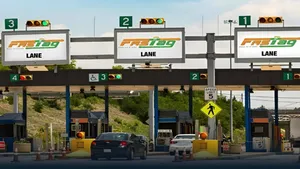 No More FASTag Recharges! Govt Plans Rs.30,000 Lifetime Highway Pass For Commuters
 -
 SBI Introduces New FASTag Design That Will Bring Down Travel Time On Highways
 -
 FASTag Alert: Don't Miss New FASTag Rules That Will Become Effective From August 1
 -
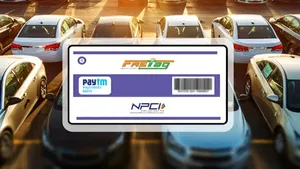 Latest FASTag Update: NHAI Mandates Double Fee If FASTag Not Affixed On Front Windshield
 -
 Challan To Be Deducted Only Via FASTag, Smart Traffic System To Begin From July 1
-
Block for 8 hours
-
Block for 12 hours
-
Block for 24 hours
-
Don't block

 Sign in with Google
- Male
- Female
- Others
- Under 18
- 18 to 25
- 26 to 35
- 36 to 45
- 45 to 55
- 55+