


 Click it and Unblock the Notifications
TAN Card
TAN is an alphanumeric number of 10 digits. All persons are mandated to hold TAN Card for deducting or collecting the tax. According to Section 203A of the Income Tax Act, 1961. The alphanumeric number is assigned by the Income Tax Department and is required to be quoted on all TDS returns. TAN is required by every individual since returns TIN facilitation centres accepts the return from Tax Deducted at source or Tax collected at source. Banks are not allowed to accept TDS/TCS challans if TAN is not quoted. It should be noted that if the TAN is not requested and/or alphanumerical 10 digit number is not quoted in specific documents such as TDS/TCS, e-TDS and TDS/TCS challans, it may impose a penalty of Rs 10,000
TAN Card Full Form
TAN Card or TAN stands for Tax Deduction and Collection Account Number. TAN registration is mandated for businesses deducting tax at source and is required to be quoted in TDS or TCS return.
TAN Card Application Form
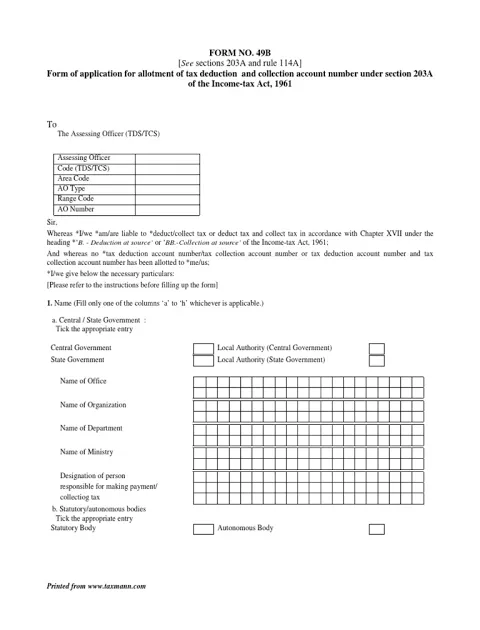
TAN Application Types
- Application for new TAN
- Form for change or correction in TAN
How to Apply for TAN Number Online
- Visit to the TIN NSDL website
- Under the drop-down sexton of services, click on TAN
- Click on Apply Online
- Select New TAN
- On the next page choose from the category of deductors and click on Select
- Now fill the Form 49B and click on Submit
- After the submission of the application form, you will get an Acknowledgement Number
- Take a print out of acknowledgement slip and affix in an envelope with the application form and required documents.
- Send the envelope to the below-given address
NSDL e-Governance Infrastructure Limited
5th floor, Mantri Sterling
Plot No.341, Survey No.997/98,
Model Colony
Near Deep Bungalow Chowk
Pune – 411016
TAN Application Charges
For correction of TAN or applying a new one the charges is same of Rs 65 (Rs.55 application charge + 18% Goods and Services TAX).
TAN Card Status
For tracking the TAN Card status 14-digit acknowledgement number is required. Go through the below-given steps to check TAN Card status
- Visit to the TIN NSDL website
- Under the drop-down sexton of services, click on TAN
- Click on Know Status of Your Application
- Select your application type
- Enter the acknowledgement number and enter the captcha code
- Click on Submit to know the status of your TAN
Latest Updates
- Pan Card Centres in Bangalore
- Pan Card Centres in Chennai
- Pan Card Centres in Delhi
- Pan Card Centres in Mumbai
- Pan Card Centres in Kolkata
- Pan Card Centres in Hyderabad
- Pan Card Centres in Pune
- Pan Card Centres in Vadodara
- Pan Card Centres in Trivandrum
- Pan Card Centres in Jaipur
- Pan Card Centres in Lucknow
- Pan Card Centres in Ahmedabad
- Pan Card Centres in Coimbatore
- Pan Card Centres in Vijayawada
- Pan Card Centres in Madhurai
- Pan Card Centres in Patna
- Pan Card Centres in Nagpur
- Pan Card Centres in Chandigarh
- Pan Card Centres in Surat
- Pan Card Centres in Bhubhaneswar
- Pan Card Centres in Mangalore
- Pan Card Centres in Vishakapatnam
- Pan Card Centres in Nashik
- Pan Card Centres in Mysore
- Pan Card Centres in Indore
- PAN Card Details
- PAN Card KYC and Its Status
- PAN Card Login and Registration
- Know Your PAN
- Pan Card Download
- Pan Card Acknowledgement Number
- Pan Card Complaint
- TAN Card
- PAN Card for Partnership Firm
- PAN Card Postal Address
- PAN Card Verification
- Pan Card Change in Name After Marriage
- PAN Card Tracking
- NSDL PAN Card
- Bulk PAN Verification
- Pan Card Surrender
- Documents Required for PAN Card
- TAN Registration
- TAN Verification
- Form 49B
- Pan Card Cancellation
- PAN Jurisdiction
- PAN Card Fees
- PAN Card for Minors
- Download PAN Card Form
- UTIITSL
- Form 49AA
- Form 49A
- TIN Facilitation Center
- Lost of PAN Card
- Duplicate PAN Card
- Pan Card Customer Care Number
- e-Pan Card
- Form 61
- Correction of PAN card
- How to Change Photo and Signature in PAN Card
- Form 60
- PAN Card Status
- How to Apply for PAN Card
- Aadhaar Card Centres in Bangalore
- Aadhaar Card Centres in Chennai
- Aadhaar Card Centres in Delhi
- Aadhaar Card Centres in Mumbai
- Aadhaar Card Centres in Kolkata
- Aadhaar Card Centres in Hyderabad
- Aadhaar Card Centres in Pune
- Aadhaar Card Centres in Vadodara
- Aadhaar Card Centres in Trivandrum
- Aadhaar Card Centres in Jaipur
- Aadhaar Card Centres in Lucknow
- Aadhaar Card Centres in Ahmedabad
- Aadhaar Card Centres in Coimbatore
- Aadhaar Card Centres in Vizianagaram
- Aadhaar Card Centres in Madurai
- Aadhaar Card Centres in Patna
- Aadhaar Card Centres in Nagpur
- Aadhaar Card Centres in Chandigarh
- Aadhaar Card Centres in Surat
- Aadhaar Card Centres in Bhubaneswar
- Aadhaar Card Centres in Mangaluru
- Aadhaar Card Centres in Visakhapatnam
- Aadhaar Card Centres in Nashik
- Aadhaar Card Centres in Mysore
- Aadhaar Card Centres in Indore
- Gold Rate Calculator
- 7th Pay Calculator
- 8th Pay Calculator
- NPS Calculator
- PF Calculator
- Gratuity Calculator
- Income Tax Calculator
- Bank FD Calculator
- Bank RD Calculator
- Bank FD Interest Rate
- Bank RD Interest Rate
- EMI Calculator
- Home Loan EMI Calculator
- Personal Loan EMI Calculator
- Car Loan EMI Calculator
- SIP Calculator
- GST Calculator
-
 Income Tax Dept Halts Instant e-PAN Services for Two Days: Check Dates and Steps to Apply Before Suspension
 -
 How To Track Your Investment Using PAN Card? A Step-By-Step Guide
 -
 Scam Alert! Govt Warns Against Fake Email Offering e-PAN Card Download; Here's What You MUST Do
 -
 Mandatory Aadhaar Authentication for New PAN Card from July 2025: How to Link Your PAN Card with Aadhaar Card?
 -
 How to Cancel PAN, Aadhaar & Voter ID After Death in India: All You Need To Know To Prevent Identity Fraud
 -
 PAN Holders Alert: Update Aadhaar Number by December 31, 2025, to Keep PAN Active; Act Now!
 -
 PAN 2.0 Explained – Key Features, Eligibility, Application Steps
 -
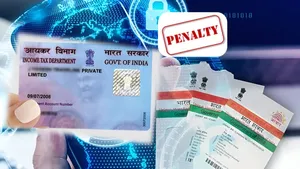 Still Haven't Linked PAN With Aadhaar? Key Deadlines, Penalties & How To Complete The Process; Check
 -
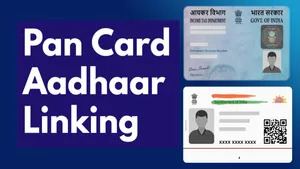 Avoid PAN Deactivation: How To Link PAN with Aadhaar Before The Dec 31 Deadline; A Step-by-Step Guide
 -
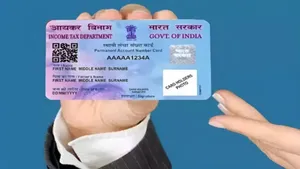 Govt Takes A Stand On Data Privacy: Restricts The Unauthorized Use Of Pan Card Details
-
Block for 8 hours
-
Block for 12 hours
-
Block for 24 hours
-
Don't block

 Sign in with Google
- Male
- Female
- Others
- Under 18
- 18 to 25
- 26 to 35
- 36 to 45
- 45 to 55
- 55+